07 Oct 2026
12 October, 2026
Monday
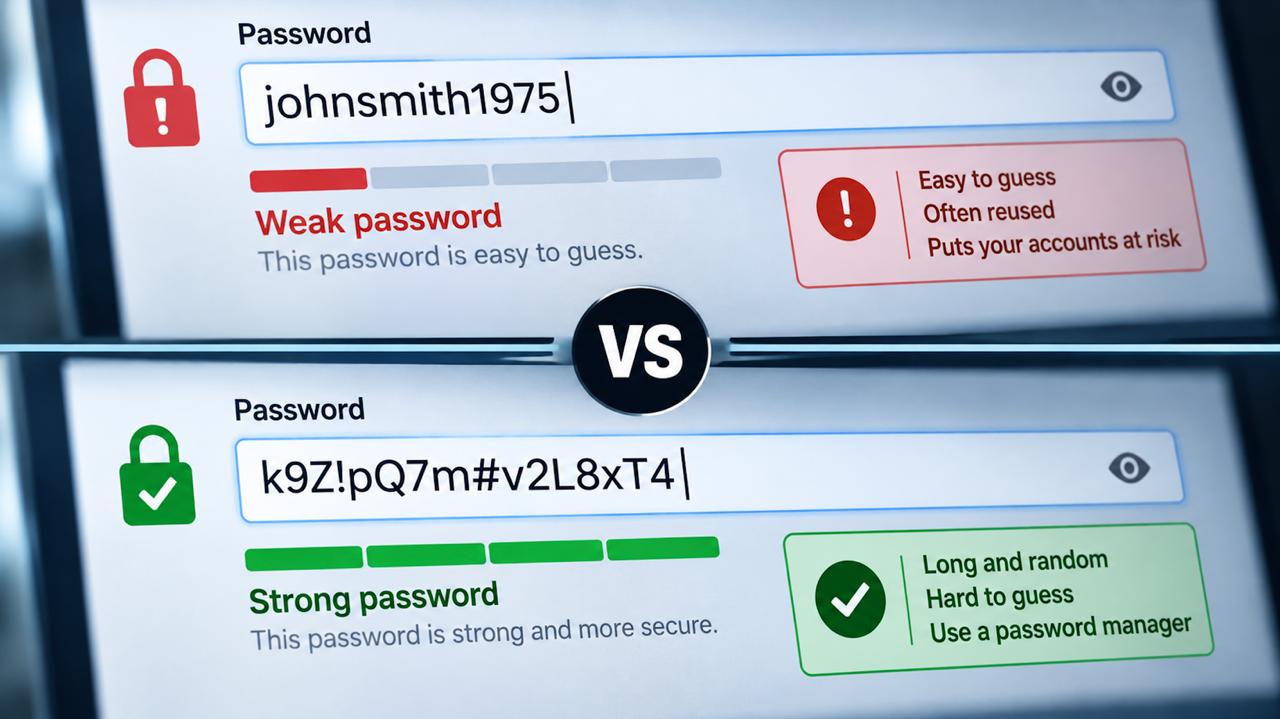
There is one particular online habit that continues to frustrate me.
Someone creates a password they can remember. Perhaps it contains their name, their birthday, the name of their dog or a favourite word followed by a couple of numbers. They use it for their email. Then Facebook. Then an online shop. Then another shop. Before long, the same password has followed them around the internet for years.
Then one day they join some tiny community website.
It might be a local club, an old discussion forum, a hobby site or something somebody put together in their spare time years ago. It looks harmless enough. There is no banking information stored there. There are no investments. There is nothing particularly private about the account.
So when it asks for an email address and password, they type in the same combination they use everywhere else.
And that may be the most dangerous place they have ever used it.
The problem isn't necessarily what a hacker can steal from that little website.
The problem is what they can do with the password they steal from it.
Imagine that forgotten website eventually gets hacked.
Perhaps its security hasn't been updated properly. Perhaps the software running it contains a vulnerability. Perhaps passwords weren't protected as well as they should have been. Whatever the cause, account information is exposed.
Among the stolen information is your email address and credentials.
At first glance, that might not seem particularly alarming. After all, what could anybody possibly do with your account on an obscure website you haven't visited in five years?
Quite a lot, unfortunately.
Attackers know that millions of people reuse passwords. So they can take credentials obtained from one breach and automatically try them against other services. This type of attack is commonly known as credential stuffing.
The hacker doesn't need to know which bank you use.
Computers can do the work.
Try the email address and password against major email providers. Try social media. Try online shopping accounts. Try cloud storage. Try financial services. Try anything popular enough to be worth testing.
If you've used the same password everywhere, eventually something may open.
Your harmless little community website hasn't given somebody access to your bank account.
You gave both websites the same key.
Think about how strange this behaviour would seem in the physical world.
Imagine having one key that opened your front door, your car, the shed in the backyard, your workplace and your parents' house.
It would certainly be convenient. You would only have one key to carry around and only one key to remember.
But now imagine losing it.
Worse still, imagine that the key fell into the hands of somebody who knew it belonged to you.
Once they worked out who you were, that single key could potentially give them access to almost every part of your life. They could try it at your home. They could try it on your car. They could visit your workplace. They might even discover where your parents lived and try it there.
Nobody would deliberately design their physical security that way.
Yet millions of us have effectively done exactly that online.
We have created one digital key and handed copies of it to dozens of completely unrelated organisations. Our bank has a copy. Our email provider has a copy. Social media has a copy. Online retailers have a copy. And somewhere, perhaps, a tiny community website built as somebody's hobby ten years ago has a copy too.
There is actually an important difference between losing that physical key and having a password stolen.
If somebody finds your house key, they still have to work out where you live, travel there and physically try the lock.
When somebody obtains your email address and password, computers can try that digital key against enormous numbers of online doors very quickly.
That is what makes password reuse so dangerous. A security breach at a website you barely remember joining can suddenly become a security problem for accounts that have absolutely nothing to do with it.
And unlike carrying fifty different physical keys around in your pocket, we now have technology that can carry all those different digital keys for us.
There really isn't a good reason for every door to have the same lock.
This is what makes password reuse so dangerous.
If every account has a completely different password, a breach at one service should be much more contained. That password belongs to that account and nowhere else.
If the same password is used across twenty websites, however, one compromised password potentially creates a problem across twenty accounts.
And there is one account I consider particularly important: your email.
Think about how many websites allow you to click Forgot Password and then send a reset link to your email address.
If somebody gains control of your email account, they may not need to know the passwords for some of your other accounts. Your inbox can become the mechanism through which they attempt to reset them.
Your email account isn't simply another online account.
In many ways, it is the key to your online identity.
That is why it should have a completely unique password and strong multi-factor authentication protecting it.
For years we were taught to create passwords we could remember.
I think we need to stop thinking that way.
My general rule is that if I can easily remember a password I created myself, I probably don't want to be using it.
There is an important qualification to that. A long, carefully constructed passphrase can be very secure. But for the dozens or perhaps hundreds of websites most of us use, there is a much better solution.
Don't remember the passwords at all.
Let a password manager do it.
Apple users already have the Passwords app and iCloud Keychain. Google provides Google Password Manager through Chrome, Android and Google Accounts. There are also reputable dedicated third-party password managers.
These services can generate a long, complex and unique password when you create an account. You don't need to invent it, write it down or remember it.
That's the important word: unique.
The password for the community website should have absolutely nothing to do with the password for your bank.
And neither should have anything to do with your email password.
There is an obvious question.
If all of your passwords are stored in a password manager, doesn't that make the password manager itself incredibly important?
Absolutely.
Which is why the account protecting it needs to be secured properly.
Enable multi-factor authentication, sometimes called two-factor authentication or 2FA. This means that knowing your password alone isn't necessarily enough to access the account. Another form of authentication is required.
Many people are familiar with the six-digit one-time code sent to their mobile phone by SMS. If that is what a service offers, it is considerably better than relying on a password alone.
But where stronger options are available, use them.
Authenticator apps can generate temporary verification codes without relying on SMS. Security keys and passkeys can provide even stronger protection, particularly against phishing. SMS verification remains useful, but it can be vulnerable to attacks such as SIM swapping, which is why stronger authentication methods are preferable where they are supported.
The important point isn't that everybody needs to become a cybersecurity expert.
It's that a password should no longer be the only thing standing between somebody and your most important accounts.
Modern smartphones have made all of this considerably easier than it once was.
On an iPhone, Apple's Passwords app can store passwords, passkeys and verification codes. It can generate strong passwords, automatically fill them when required and synchronise them between approved Apple devices. It can also warn you about passwords that are weak, reused or known to have appeared in data leaks.
Google Password Manager provides similar functionality, generating and storing unique passwords and passkeys and warning users about compromised credentials.
This means there is increasingly little reason for most people to use the same memorable password everywhere.
When a website asks you to create a password and your device offers something that looks like an incomprehensible jumble of characters, use it.
You don't need to know what it is.
That's the point.
We are also slowly moving towards a world where traditional passwords may become less important altogether.
More services now support passkeys.
Instead of creating a reusable secret that you type into a website, a passkey uses cryptographic credentials created for that particular account. For the user, the experience can be remarkably simple.
You might authenticate using Face ID, Touch ID, your device PIN or another device-based mechanism rather than typing a traditional password.
If a service you trust offers a passkey option, it is worth considering.
Because one of the best ways to stop somebody stealing your password is eventually to stop having a reusable password for them to steal.
There is another habit we need to abandon: putting obvious personal information into passwords.
Your name isn't secret.
Neither is your birthday.
Your partner's name may be on Facebook. Your dog's name might be on Instagram. Your children's names may be publicly visible. Your suburb, favourite football team, workplace and year of birth can potentially be discovered without anybody ever meeting you.
Adding an exclamation mark to the end doesn't suddenly transform obvious information into a brilliant security system.
Neither does changing an o to a zero or adding 123.
If you're using a password manager, there is no reason to play this game anymore.
Let the computer generate something random.
Almost inevitably, one of the services you use will eventually announce a security incident.
We've become so accustomed to hearing about data breaches that it can be tempting to ignore them.
Don't.
Find out what information was actually exposed.
If passwords or authentication information may have been compromised, change the affected password promptly.
And if you've reused that password anywhere else, you now have a much bigger job.
Change it everywhere.
Start with your email and other important accounts and replace every reused password with a unique one.
Modern password managers can help here too. They can warn about compromised, weak or reused passwords, giving you an opportunity to replace them before somebody else takes advantage of them.
Those warnings aren't annoying little notifications to clear from your screen.
They're telling you that a key you use online may no longer be private.
We tend to think about online security in terms of how much we trust the organisation we're logging into.
We trust our bank to spend enormous amounts of money securing its systems. We expect Apple and Google to employ some of the world's best security engineers. We assume major investment platforms, retailers and technology companies have sophisticated cybersecurity systems protecting their customers.
But none of that solves the password reuse problem.
Your bank might have extraordinary security.
The hobby website somebody built ten years ago might not.
If you've given both of them the same password, you've created a connection between two systems that otherwise have absolutely nothing to do with each other.
The security of your password has effectively become dependent on every website where you've ever reused it.
That is an extraordinary risk to take simply because remembering one password is convenient.
Good password security doesn't require remembering fifty complicated passwords.
Quite the opposite.
Use a reputable password manager. Let it create a different long, random password for every account. Protect the account behind that password manager with strong multi-factor authentication. Use authenticator-based verification, security keys or passkeys where available. Treat your email account as particularly important. Pay attention to breach notifications and replace compromised credentials promptly.
And stop creating passwords from information that belongs in your biography.
The technology to make this considerably easier already exists on the devices most of us carry around every day.
We just have to use it.
Think again about that single physical key opening your house, your car, your workplace, your shed and your parents' home.
You wouldn't deliberately organise your life that way.
So why do it online?
That little community website doesn't need access to your bank account.
It doesn't need access to your email, your investments, your social media or your cloud storage either.
So stop giving all of them the same key.
The safest password isn't necessarily the cleverest password you can invent.
It's the one you don't know, don't reuse and never need to remember.